ChefZee
- 170
Follow along with the video below to see how to install our site as a web app on your home screen.
Note: This feature may not be available in some browsers.
The thread discusses issues participants have encountered when trying to email their hosts, particularly related to error messages and website performance. Participants share their experiences and speculate on potential causes for these issues.
Views differ on the specific causes of the issues, but several participants agree that technical glitches may be involved.
Participants share personal experiences related to email communication with hosts, focusing on technical difficulties rather than official guidance.
Consultants experiencing similar email issues or those interested in understanding potential technical problems related to host communications may find this discussion relevant.
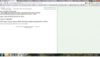
This message typically indicates that there was an issue with sending an email to your host, possibly due to incorrect email addresses, server issues, or restrictions on the email platform being used.
First, double-check the email address you are using for your host to ensure it is correct. Next, check your internet connection and try sending the email again. If the problem persists, consider using a different email service or contacting your email provider for assistance.
Yes, you can reach out to your host through alternative methods such as texting, calling, or messaging them on social media. Additionally, you can use the Pampered Chef consultant portal to find their contact information.
Yes, your email settings could be the cause. Check your spam or junk folder to see if the email was filtered there. Also, ensure that your email account is not blocking the host's email address or domain.
If you continue to experience issues, consider reaching out to Pampered Chef support for assistance. They can help you troubleshoot any technical problems related to their system or provide guidance on alternative communication methods.