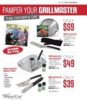
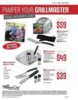
Father's Day Special JPG for Easy Invitation Modifications
Click For Summary
SUMMARY
The discussion centers around the need for a JPG image of Father's Day specials for easy modifications to an invitation. Users express difficulty in obtaining the image from PDF formats and seek assistance in copying the JPG to social media platforms like Facebook. The conversation highlights challenges faced on different devices, specifically a MacBook Pro versus an iMac, emphasizing the need for accessible image formats for effective sharing and editing.
PREREQUISITES- Basic understanding of image formats (JPG vs. PDF)
- Familiarity with MacBook Pro and iMac operating systems
- Knowledge of social media image sharing
- Experience with image editing tools (e.g., Preview on Mac)
- Research how to convert PDF files to JPG format using tools like Adobe Acrobat or online converters
- Learn how to use Preview on Mac for image editing and resizing
- Explore best practices for sharing images on Facebook, including optimal dimensions and formats
- Investigate alternative image editing software for Mac that supports JPG modifications
This discussion is beneficial for graphic designers, event planners, and anyone looking to modify and share images for invitations, particularly those using Mac devices.



Similar Pampered Chef Threads
- kam Pampered Chef Flyers
tpchefpattie
- stfenyo Pampered Chef Flyers
stfenyo
- esavvymom Pampered Chef Flyers
Admin Greg
- colesmom Pampered Chef Sales
Admin Greg
- kam Pampered Chef Flyers
lt1jane
- chefheidi2003 Pampered Chef Sales
rlombas
- esavvymom Pampered Chef Sales
Lesliecooks
- esavvymom Pampered Chef Sales
Crystal Patton
- BethCooks4U Pampered Chef Sales
Becca_in_MD
- sueloland Pampered Chef Flyers
txladicooks