Transfer Info From Desktop to Laptop
- Thread starter mandydollie
- Start date
-
- Tags
- laptop
Click For Summary
Discussion Overview
This thread revolves around the challenges and experiences related to transferring information from a desktop to a laptop, with a focus on backup methods. Participants share their personal experiences with various storage devices and engage in light-hearted banter about terminology and the nature of their devices.
Discussion Character
- Anecdotal
- Opinion-based
- Meta-discussion
Main Points Raised
- One participant inquires about transferring information from a desktop to a laptop, expressing difficulty with using a CD for backup.
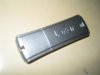
- Another participant suggests using a jump drive as a reliable backup method.
- Several users mention their experiences with different types of flash drives, including one participant identifying as a consultant who uses a LEXAR device.
- Participants engage in humorous exchanges about the names of their storage devices, referring to them as "thing-a-ma-jigs" and sharing anecdotes related to them.
- One participant shares a concern about a flash drive that was dropped in water and wonders if it still works.
- There is a playful discussion about the size and capabilities of their devices, with some expressing "thing-a-ma-jig envy."
- Participants reflect on the tendency of the group to divert from the original topic, noting the humorous nature of their discussions.
Areas of Agreement / Disagreement
Views differ on the best method for backing up information, with some participants favoring jump drives while others share various experiences. There is no clear consensus on a single preferred method, but there is general agreement on the light-hearted nature of the conversation.
Contextual Notes
The discussion showcases a mix of technical inquiries and humorous interactions among participants, highlighting the community's camaraderie and informal communication style.
Who May Find This Useful
Participants within the consultant community who are exploring backup options for transferring data may find the shared experiences and light-hearted exchanges relevant.




 and the other two aren't quite what I'm looking for. But you had three more sources than I've found so far!
Similar Pampered Chef Threads
- cjwagner General Pampered Chef Chat
- pampchefrhondab General Pampered Chef Chat
- ahammons General Pampered Chef Chat
- grainsmommy General Pampered Chef Chat
- luvmypomeranian Business, Marketing and Customer Service
- Chef.Wanda Business, Marketing and Customer Service
- medhatterchef Business, Marketing and Customer Service
- ChefJoyJ Business, Marketing and Customer Service
- cewcooks General Pampered Chef Chat
- Aurora Business, Marketing and Customer Service