Creating a Letterhead in Microsoft Word on a Budget

Click For Summary

Discussion Overview

The thread discusses the creation of a letterhead in Microsoft Word, particularly focusing on budget-friendly options for those starting a Pampered Chef business. Participants share their experiences and suggestions regarding letterhead design and resources.

Discussion Character

  • Anecdotal
  • Opinion-based

Main Points Raised

  • One participant expresses a desire to save money while starting their business and inquires about letterhead options in Microsoft Word.
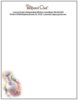
  • Another participant shares a letterhead they have but notes its limitations in editing and suggests printing on pre-printed paper.
  • A participant requests to receive the letterhead file via email.
  • One participant, identifying as a consultant, offers suggestions for creating a letterhead, including designing a logo, using pre-made templates, or utilizing online design tools like Canva.
  • This participant also mentions checking websites like Etsy for affordable letterhead templates.

Areas of Agreement / Disagreement

No clear consensus emerges, as participants share varied experiences and suggestions without agreeing on a specific method or resource for creating letterhead.

Contextual Notes

The discussion reflects the experiences of individuals starting their Pampered Chef businesses and their interest in cost-effective solutions for branding materials.

Who May Find This Useful

Consultants looking for budget-friendly options for creating letterhead or those interested in sharing resources for business branding.
Chef_Taniesa
Messages
11
Does anyone have a letterhead they use in microsoft word? I know i can order from town and country im just trying to save as much money as I can with just starting out.

thanks in advance!
 
Here's one that I have on my computer...I have no idea where I got it though...since you can't really edit it on a computer except with text boxes or something, I would recommend printing a bunch out and after you have a letter to print, put the paper through the printer instead of white paper. I don't ever use it...I guess I should...oh well
 

Attachments

  • Pampered Chef Letterhead.JPG
    Pampered Chef Letterhead.JPG
    10.8 KB · Views: 1,141
I would be glad to, but I can't convert it...sorry
 
Hi! Congratulations on starting your pampered chef business! I completely understand wanting to save money when starting out. I don't personally have a letterhead in Microsoft Word, but I do have a few suggestions for you. You can create your own letterhead by designing a simple logo or using a pre-made template in Word. Another option is to use a free online design tool like Canva to create a professional-looking letterhead. I also recommend checking out websites like Etsy, where you can find affordable and customizable letterhead templates. I hope this helps! Best of luck to you in your pampered chef journey.
 

Frequently Asked Questions

What is a letterhead and why is it important for my business?

A letterhead is a printed heading on stationery that typically includes your business name, logo, and contact information. It is important because it establishes your brand identity, adds professionalism to your correspondence, and helps in building trust with clients and customers.

How can I create a letterhead in Microsoft Word without spending much?

You can create a letterhead in Microsoft Word by using the built-in templates available for free. Simply open Word, go to the 'File' menu, select 'New', and search for 'letterhead' in the template search bar. Choose a template that suits your style and customize it with your business information.

Can I design my own letterhead from scratch in Microsoft Word?

Yes, you can design your own letterhead from scratch in Microsoft Word. Start by setting up your document size, then use text boxes to add your business name, logo, and contact details. You can also use shapes and colors to enhance the design, ensuring it aligns with your brand identity.

What elements should I include in my letterhead?

Your letterhead should include your business name, logo, address, phone number, email, and website. You may also want to include social media handles if applicable. Keep the design clean and professional to ensure readability and impact.

How can I save my letterhead design for future use?

Once you have created your letterhead in Microsoft Word, you can save it as a template for future use. Go to 'File', select 'Save As', and choose 'Word Template' from the file type options. This allows you to easily access and reuse your letterhead design without starting from scratch each time.

Similar Pampered Chef Threads

  • TWine120
  • Business, Marketing and Customer Service
Replies
4
Views
2K
AnaCash
  • PCMomto4
  • Business, Marketing and Customer Service
Replies
5
Views
1K
pampered1224
  • dwyerkim
  • Business, Marketing and Customer Service
Replies
6
Views
1K
swtnsssychef
  • pampchefsarah
  • Business, Marketing and Customer Service
Replies
4
Views
1K
chefann
  • dkitten13
  • Business, Marketing and Customer Service
Replies
14
Views
4K
VeronicaW
  • Denarella
  • Business, Marketing and Customer Service
Replies
2
Views
1K
Denarella
  • CheraCole
  • Business, Marketing and Customer Service
Replies
2
Views
1K
CheraCole
  • ChefBeckyD
  • Business, Marketing and Customer Service
Replies
19
Views
2K
missydivine
  • 1234blessed
  • General Pampered Chef Chat
Replies
6
Views
2K
chefcaroline
  • schel
  • Business, Marketing and Customer Service
Replies
11
Views
2K
DebinIA
Back
Top