PampChefJoy
Gold Member
- 1,813
Follow along with the video below to see how to install our site as a web app on your home screen.
Note: This feature may not be available in some browsers.
The thread centers around participants discussing a Facebook avatar and banner created by a user named Joy. Many express appreciation for Joy's work and share their experiences with uploading the image to their Facebook profiles and business pages.
Views differ regarding the success of uploading the image, with some participants successfully using it while others encounter issues. No clear consensus emerges on the upload process.
The discussion reflects personal experiences with social media image uploads, particularly in relation to business branding for Pampered Chef consultants.
Consultants looking for creative ways to enhance their Facebook presence may find the shared experiences and tips relevant.
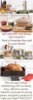
babywings76 said:Joy, when I tried to upload it, FB said: "Try to pick something closer to a square". Is there something I should do to get it to accept it?
babywings76 said:I was trying to upload it to my biz page
babywings76 said:Yeah, I tried putting it as my profile pic on my business page. It seems to work for others, so I'm not sure why it won't work for me.Maybe I'm just doing something wrong...can someone tell me step by step how they put it on?
ChefShalon said:Love it!! Thanks I just got a Cat booking from this!
PampChefJoy said:Odd... unless they changed the dimensions for allowable banners again. Oh wait, are you uploading to a page or your FB profile? It has to be a fan page. I don't think they allow those long profile pics on the personal pages.
PampChefJoy said:Yes, it's on my Facebook page... are you a fan? Most things are posted there first...
A Facebook avatar is a personalized digital representation of yourself that can be used in comments, posts, and as a profile picture. A banner, on the other hand, is a larger image that appears at the top of your Facebook profile, often used to express your personality or interests.
You can create a November-themed avatar or banner by using graphic design tools like Canva or Adobe Spark. Choose autumn colors, seasonal elements like leaves or pumpkins, and incorporate themes related to Thanksgiving or fall festivities to capture the essence of November.
Yes, the recommended dimensions for a Facebook banner (cover photo) are 820 pixels wide by 312 pixels tall for desktop and 640 pixels wide by 360 pixels tall for mobile. It's important to ensure that your design fits well within these dimensions to avoid cropping.
Absolutely! You can use your November-themed avatar or banner on other social media platforms by resizing or adjusting the image to fit the specific requirements of each platform, such as Twitter, Instagram, or LinkedIn.
You can find inspiration for your November avatar/banner by browsing design websites like Pinterest or Instagram, looking at seasonal graphics, or checking out Facebook groups dedicated to graphic design. Nature photography and seasonal art can also provide great ideas for your design.