Effortlessly Upload Docs to Facebook with JPG Format | Going Gone for Fb

Click For Summary
SUMMARY

This discussion focuses on the process of uploading documents to Facebook in JPG format. Users share a specific document that has been converted to JPG for easy posting on Facebook pages. One participant suggests modifying the document by removing the "going going gone" block to allow for personalized notes when posting. The final version of the JPG, both with and without the header, has been uploaded for user convenience.

PREREQUISITES
  • Basic understanding of image file formats, specifically JPG.
  • Familiarity with Facebook page posting procedures.
  • Knowledge of document editing tools to modify images.
  • Experience with file conversion techniques.
NEXT STEPS
  • Research how to convert documents to JPG format using tools like Adobe Photoshop or GIMP.
  • Learn best practices for posting images on Facebook to maximize engagement.
  • Explore techniques for editing images to customize content before uploading.
  • Investigate the impact of image dimensions and quality on social media performance.
USEFUL FOR

Social media managers, content creators, and anyone looking to enhance their Facebook page with visually appealing posts.
dannyzmom
Gold Member
Messages
9,271
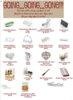
Does anyone have this doc saved as a JPG so it can be uploaded to our Facebook pages?
 

Attachments

Just made this from the file you attached...is this what you're looking for?
I also thought about taking off the "going going gone" block at the top and when we post to FB we can add our own note. Let me know if you want me to make/upload that version too.
 

Attachments

  • GoingGoingGone2011.jpg
    GoingGoingGone2011.jpg
    38.4 KB · Views: 285
JPG without headerActually I just decided to upload that version too - enjoy either one.
 

Attachments

  • GoingGoingGone2011_2.jpg
    GoingGoingGone2011_2.jpg
    40.5 KB · Views: 295

Frequently Asked Questions

What is "Effortlessly Upload Docs to Facebook with JPG Format | Going Gone for Fb"?

"Effortlessly Upload Docs to Facebook with JPG Format | Going Gone for Fb" is a tool or method that simplifies the process of uploading documents in JPG format to Facebook. It allows users to convert their documents into JPG images, making it easier to share them on social media platforms like Facebook.

How do I convert my documents to JPG format for Facebook?

You can convert your documents to JPG format using various online converters or software applications. Simply upload your document, select JPG as the output format, and download the converted file. Once you have the JPG file, you can easily upload it to Facebook.

Are there any size limitations for JPG uploads on Facebook?

Yes, Facebook has size limitations for image uploads. The maximum file size for a JPG image is typically 15 MB. If your converted document exceeds this limit, you may need to reduce the file size or resolution before uploading.

Can I upload multiple JPG files to Facebook at once?

Yes, you can upload multiple JPG files to Facebook at once. When creating a post, simply select multiple images from your device, and Facebook will allow you to upload them simultaneously. This feature makes it easy to share multiple documents or images in one go.

Is there a specific way to format my JPG images for better visibility on Facebook?

To ensure better visibility on Facebook, it's recommended to use high-resolution images with a minimum width of 1200 pixels. Additionally, consider using clear and legible text within the images, and maintain a clean layout to enhance readability and engagement.

Similar Pampered Chef Threads

  • mspibb
  • Business, Marketing and Customer Service
Replies
4
Views
7K
AnaCash
  • cookingwithlove
  • Recruiting and Team Leaders
Replies
9
Views
2K
baychef
  • Sheila
  • Recruiting and Team Leaders
Replies
28
Views
2K
cmdtrgd
  • Sheila
  • Recruiting and Team Leaders
Replies
20
Views
4K
Sheila
  • babywings76
  • Business, Marketing and Customer Service
Replies
6
Views
2K
jcwarr
  • CoidgigBese
  • Recruiting and Team Leaders
Replies
20
Views
2K
Sheila
  • ChefBeckyD
  • Recruiting and Team Leaders
Replies
11
Views
2K
Sheila
  • PampChefJoy
  • Pampered Chef Facebook Marketing
Replies
12
Views
5K
aried
Replies
2
Views
3K
lfg8764
  • NooraK
  • Pampered Chef Facebook Marketing
2 3
Replies
63
Views
36K
mkc-pchef
Back
Top