Posting Pictures on a Website: Step-by-Step Guide for Beginners

Click For Summary

Discussion Overview

This thread centers around the process of posting pictures on the forum, with participants sharing their experiences and challenges related to uploading images.

Discussion Character

  • Anecdotal
  • Opinion-based

Main Points Raised

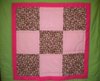
  • One participant expresses uncertainty about how to post pictures and plans to share images of a quilt they made.
  • Another participant, identifying as Karen, provides a step-by-step explanation for attaching images, mentioning the importance of selecting the correct image type.
  • One participant shares their excitement about posting their quilt and expresses hope that their director will appreciate it.
  • Another participant mentions their own quilting experiences, noting that they often give quilts as gifts.
  • Several users report experiencing technical difficulties with posting images, indicating that they have faced issues despite previously being able to upload successfully.

Areas of Agreement / Disagreement

Views differ regarding the ease of posting images, with some participants successfully sharing their experiences while others encounter technical challenges.

Contextual Notes

Participants share personal experiences related to quilting and the process of posting images on the forum, reflecting a community of individuals engaged in similar creative activities.

Who May Find This Useful

Members of the consultant community interested in sharing visual content or those facing challenges with image uploads may find this discussion relevant.

chefheidi2003
Gold Member
Messages
2,935
I was not sure where to post this. How do I post pictures on here? I would like to post some pictures of the PC Quilt that I made..I don't have the pics yet..but I will tonight..and want to post them tomorrow.
 
You have to go into advanced post and then you click on the paper clip icon and that will walk you though attaching items. Just make sure you select the proper image type (bmp or jpeg).

Hope you can follow that! :)

Karen
 
  • Thread starter
  • #3
Here is another one that I made..I am just testing to see if I figured it out.
 

Attachments

  • more quilts 436.jpg
    more quilts 436.jpg
    31.6 KB · Views: 444
  • Thread starter
  • #4
thehaleykitchen said:
You have to go into advanced post and then you click on the paper clip icon and that will walk you though attaching items. Just make sure you select the proper image type (bmp or jpeg).

Hope you can follow that! :)

Karen

Thank you so much. I can't wait to post it tomorrow for all of you to see..I made it for my director..from all of us. I love it..I hope she does too.
 
I can't wait to see a picture of it! I quilt a lot too and give most of them away as gifts. Or my boys find them and make forts with them :)Karen
 
  • Thread starter
  • #7
So I was able to do it yesterday..not sure what the issue is today..it won't let me post..I will keep trying.
 
  • Thread starter
  • #8
The_Kitchen_Guy said:

Thank you for posting this. I was able to post earlier in the week..then I had issues with it when I wanted to do it on Tuesday..so I followed your directions on this thread. Thank you so much for sharing.
 

Frequently Asked Questions

What is the first step to posting pictures on a website?

The first step is to choose the platform where you want to post your pictures. This could be a personal blog, a social media site, or an e-commerce platform. Make sure you have an account set up and are logged in.

How do I upload pictures to my website?

To upload pictures, look for an "Upload" or "Add Media" button on your website's dashboard. Click on it, then select the images you want to upload from your computer. After selecting, confirm the upload to add them to your site.

What file formats are acceptable for uploading pictures?

Most websites accept common image file formats such as JPEG, PNG, and GIF. Check your specific platform's guidelines to ensure compatibility and optimal quality.

How can I ensure my pictures are high quality when posted?

To ensure high quality, use images that are at least 72 DPI (dots per inch) for web use. Additionally, avoid overly compressing images, as this can lead to a loss of quality. Always preview your images before publishing.

Can I edit my pictures after uploading them to the website?

Yes, many platforms offer basic editing tools that allow you to crop, resize, or apply filters to your images after uploading. Look for an "Edit" option next to your uploaded images to access these features.

Similar Pampered Chef Threads

  • babywings76
  • General Pampered Chef Chat
Replies
2
Views
1K
babywings76
  • dollfangs
  • General Pampered Chef Chat
Replies
2
Views
1K
heat123
  • prissylovescooking
  • Pampered Chef Shows
Replies
4
Views
3K
Wildfire
  • LeighPC
  • Pampered Chef Shows
Replies
6
Views
8K
Jennifer golden
  • Alicia Denman
  • Recipes and Tips
Replies
2
Views
3K
Alicia Denman
  • KellyTheChef
  • General Pampered Chef Chat
6 7 8 9 10
Replies
297
Views
22K
janetupnorth
Replies
4
Views
5K
Wildfire
  • CGutwein
  • Business, Marketing and Customer Service
Replies
2
Views
3K
sharalam
  • otisbg
  • Business, Marketing and Customer Service
Replies
5
Views
2K
Brenda.the.chef
  • RossDeb2
  • Business, Marketing and Customer Service
Replies
4
Views
2K
AnaCash
Back
Top