Product Images for Newsletters: Policies and Usage Guidelines
- Thread starter SassyChef
- Start date
-
- Tags
- product
Click For Summary
SUMMARY
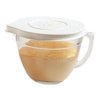
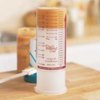
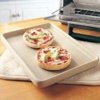
The discussion centers on sourcing product images for newsletters, specifically from a PC website. Users confirmed that images can be copied directly from the website's product section, and shared a flyer containing images of new products. Additionally, participants exchanged specific product images, including the Measure All, Classic Batter Bowl, and Small Bar Pan, to assist those having trouble accessing them online.
PREREQUISITES- Understanding of image copyright policies
- Familiarity with website navigation
- Basic skills in image editing software
- Knowledge of newsletter design principles
- Research copyright policies for using product images in newsletters
- Explore tools for effective image editing and optimization
- Learn best practices for newsletter design and layout
- Investigate alternative sources for product images, such as stock photo websites
This discussion is beneficial for marketers, newsletter designers, and content creators looking to effectively source and utilize product images in their communications.
Similar Pampered Chef Threads
- byrd1956 Products and Tips
Admin Greg
- pcheflaurie Flyers and Letters
tpchefrebecca
- lisasfuncooking Pampered Chef Newsletters
pcjenr
- janezapchef Flyers and Letters
jenniferknapp
- grgann Products and Tips
grgann
- batroark Flyers and Letters
DZmom
- Angrosmith Business, Marketing and Customer Service
AnaCash
- cynde Pampered Chef Shows
karens.kitchen
- nycchef Products and Tips
Staci
- Annette Recipes and Tips
raebates